 Mentavo
AI coach
A coach that knows what's going on in your life.
Mentavo knows your goals, routines, check-ins and thoughts – and picks out exactly what matters for each answer.


Free to start · iPhone · English & German
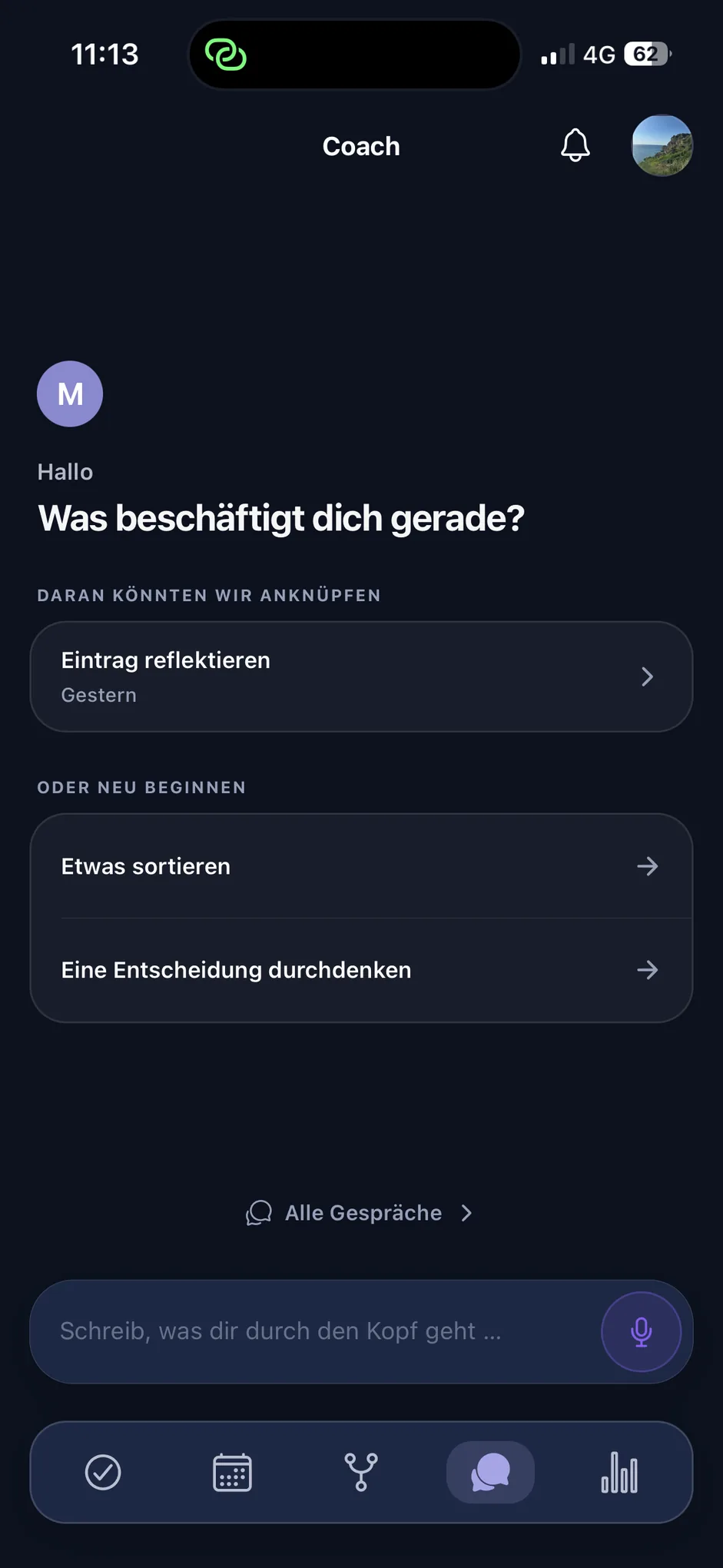
Context
Where the coach gets its bearings.
You don't have to explain where you stand every time. Mentavo draws on what fits the message in front of it.
Always included
- journal entries and check-ins
- goals and their individual steps
- routines and how they are going
- earlier conversations and what stayed relevant
- your daily focus
Only with your permissionfrom version 2.1
- Calendar: how full your day is – individual appointments only when you ask
- Apple Health: sleep duration, steps, workouts
- For every message, what fits is selected deliberately.
- Never your whole history – what doesn't fit stays out.
- If you say something no longer holds, what you say now stands.
In conversation
One coach, no modes.
There is one coach, not eight. You don't set a perspective beforehand – you write, and Mentavo works out whether you want to sort something through, think a decision over, or simply talk.
If the subject shifts mid-conversation, Mentavo shifts with it.
Conversations carry on
You can pick a conversation up later without explaining the topic again.
What stays relevant
What turns out to matter over time, Mentavo can keep for later conversations – traceably, and you can correct it at any point.
Type or speak
Instead of typing you can dictate – from Mentavo Pro. The text then sits in the input field and you can edit it before sending; so anything you can write to the coach, you can just as well say.
Action
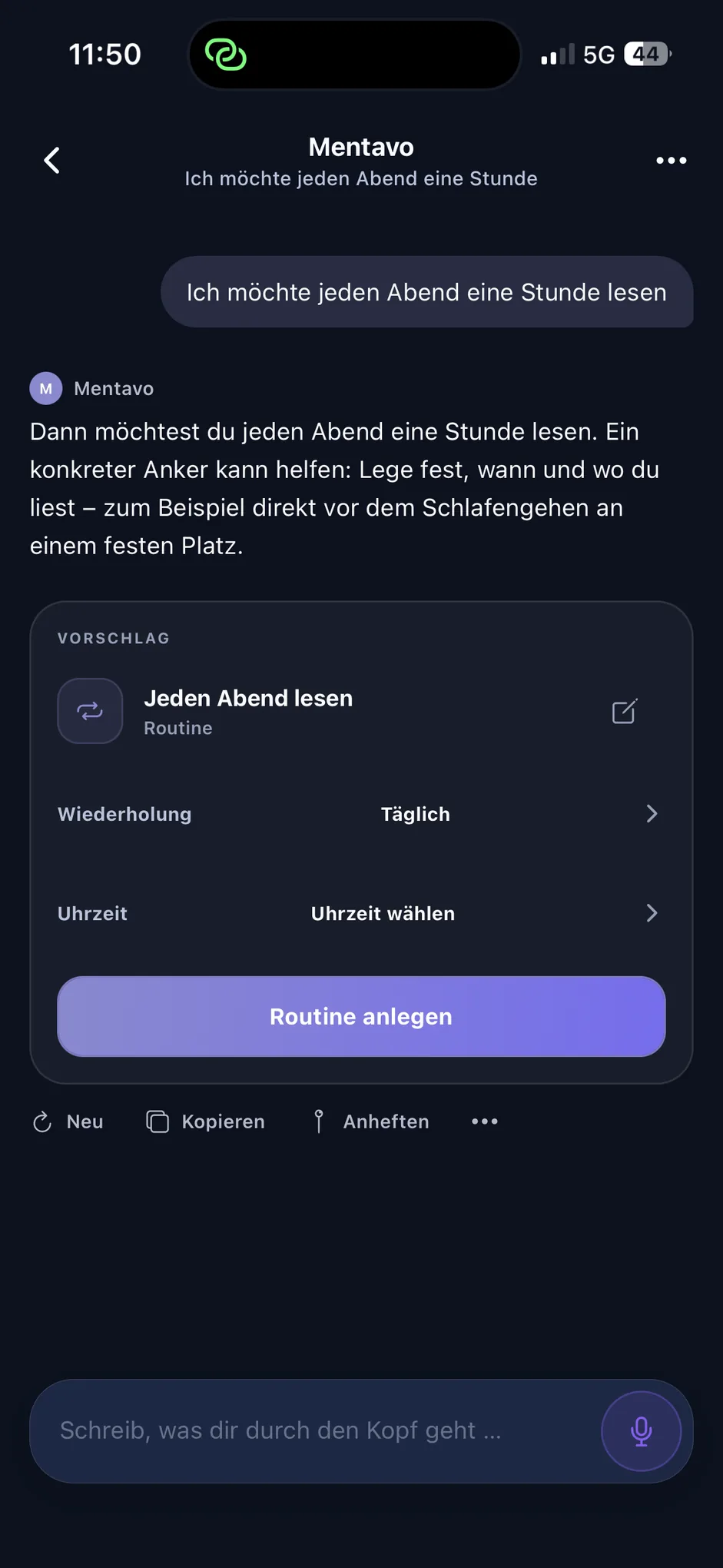
A sentence becomes a next step.
When something concrete comes out of a conversation, Mentavo offers it as a card. Nothing is created before you tap.
Five possible suggestions
A goal, a goal step, a routine, a journal entry or a check-in – depending on what you were talking about.
Adjustable first
Title, rhythm and time you change on the card itself, before you accept it.
Only when asked
Suggestions appear when you explicitly want something or accept an offer – not unprompted beside every answer.
Calendarfrom version 2.1
Your calendar in the conversation.
Give the calendar permission and the coach can judge how full your day is – and shape its suggestions around that.
For example
- “How full is my Thursday?”
- “When is my dentist appointment?”
- “Do I still have time tomorrow morning?”
How full the day is
Time taken, number of appointments and the free windows. That is the normal case.
Individual appointments only when you ask
Titles and times of matching appointments are included only when you ask for them – “when is my dentist appointment?”, for example.
What is never read
Notes, locations and attendees stay out.
Apple Healthfrom version 2.1
Your own numbers, not benchmarks.
Ask about sleep or movement and the coach can draw on your own figures instead of general guideline values.
For example
- “How did I sleep last night?”
- “How many steps have I taken today?”
- “How was my sleep this week?”
What is read
Sleep duration per night, step count per day (rounded) and workouts with type, start, end and duration.
Each type separately
You grant them one by one; movement data needs its own switch. Everything is off by default.
Read-only
Mentavo never writes back to Apple Health. Heart rate, calories, distances and locations are not transmitted.
Reminderssoon in the App Store
Say it once – and it comes back.
Reminders come out of the conversation: you say or type what you want to be reminded of, and Mentavo proposes it as a card.
Checking, moving, ticking off or deleting works the same way – in the same conversation, without hunting through a menu.
For example
- “Remind me to take my medication tomorrow at 8 AM.”
- “What reminders do I have this week?”
- “Move the reminder to 6 PM.”
- “Delete tomorrow's reminder.”
Nothing without your confirmation
Nothing is created, changed or deleted until you confirm the card. Mentioning a reminder in passing does nothing.
Repeating, too
Daily, on certain weekdays, on workdays or at the weekend. You can complete or skip a single day without changing the series – the card tells you which one it means.
Quiet on the lock screen
The notification shows only that a reminder is due. What it is about stays in the app – unless you change that.
For a reminder to reach you, notifications need to be switched on; Mentavo asks you when the first one is due. It is saved either way.
Limits
What the coach does not do.
Mentavo helps you sort things out and put them in context. It does not assess you, and it establishes nothing.
No diagnosis, no substitute for help
Mentavo makes no diagnoses and is not a substitute for professional help. Where a crisis is involved, the app points to sources of support.
No causes
When Mentavo shows a connection, it means two things often occur together in your entries – not that one causes the other.
Web research only with permissionfrom version 2.1
For questions that need current information, the coach can search the web – only with your permission and only with your question, without your Mentavo data.
Questions about the coach.
Does the coach read my entire history?
No. For each message Mentavo draws on a small selection that fits it – not everything ever recorded.
Do I have to pick a mode before a conversation?
No. There is one coach and no mode to choose. You write, and Mentavo works out what the message is about – even if the subject shifts mid-conversation.
Does Mentavo create goals or routines on its own?
No. Mentavo offers them as a card. They are created only once you confirm on that card – and you can change the title, rhythm and time first.
What does the coach see of my calendar?from version 2.1
How full your day is: time taken, number of appointments and free windows. Titles and times of individual appointments only when you ask for them. Notes, locations and attendees never.
What happens to my data during web research?from version 2.1
Only your question goes to the search. Content from your journal, check-ins, goals and routines is not transmitted. Web research is a separate switch and off by default.
Not more self-optimization. More connection.
Mentavo connects your thoughts, mood, goals, routines, and conversations – helping you see what truly matters today.